What the Experiment Actually Looked Like
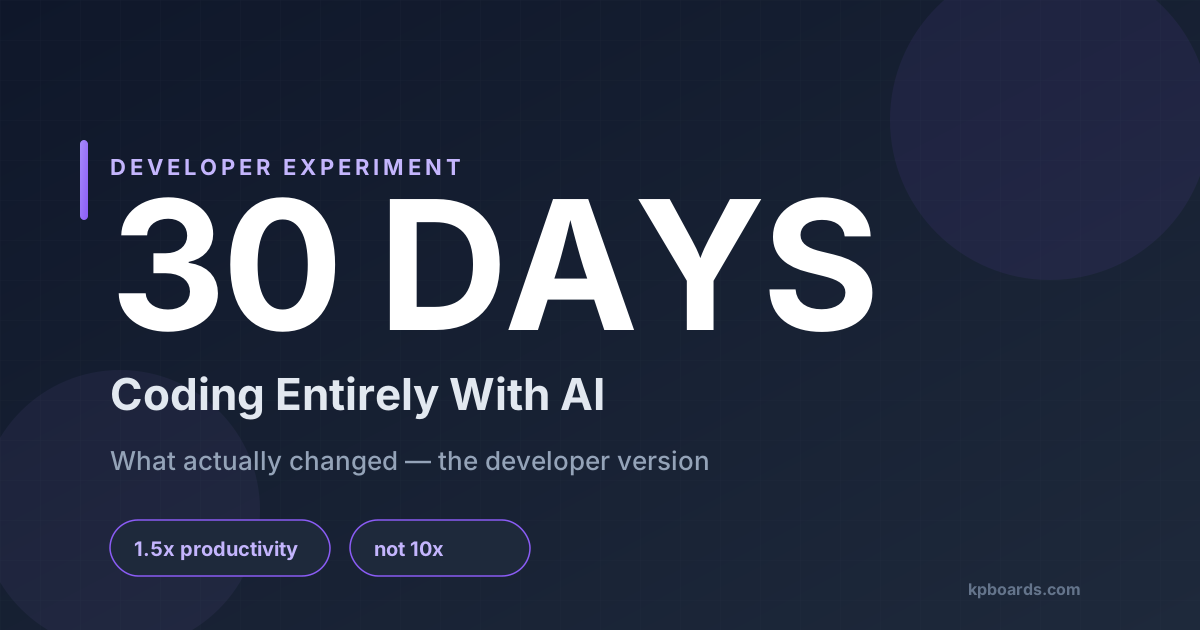
Not a weekend project. Not a tutorial app built to demo on social media. Thirty days of using AI as the default starting point for real work - real projects, real codebases, real deadlines.
The rule: AI first, then evaluate. Not AI as a fallback when stuck. AI as step one, then developer judgment to decide what to keep, what to adjust, and what to rewrite entirely.
This is a retrospective informed by real development patterns and consistent findings from published research on AI coding tools. No fabricated personal metrics. No hype. Just what actually held up after thirty days.
What Got Dramatically Faster
Scaffolding and boilerplate
This is the biggest win, and it's a genuine one. New API endpoint? New React component with the standard hooks and error handling pattern? Database migration file? Tasks that used to take fifteen to twenty minutes of "I know exactly what this needs to look like but I still have to type it all" - those now take two to three minutes. You describe the shape, you get the shape. Review, adjust, move on.
That's not magic. That's just compression of repetitive work.
Pattern-based refactors
Renaming a prop across thirty component files, restructuring an API response shape, adding TypeScript types to a JavaScript module - AI handles the mechanical part while you handle the judgment calls. The split is actually cleaner than it used to be.
Test stub and edge case generation
Write the function, describe what it does, get a reasonable first pass at unit tests - including edge cases you might have deferred until "later" (which often meant never). Coverage went up not because AI writes better tests, but because it removed the friction of starting.
Documentation that used to get skipped
Same mechanic. Low friction means it actually happens. The comments, README updates, and inline docs that used to fall off the todo list - they started existing.
Consistent with published research on AI coding tools: roughly 1.3 - 1.8x faster on well-defined, pattern-based work. Not 10x. Not "replaced." Faster on the tasks that were already mechanical.
Where It Broke Down
Architecture decisions didn't get easier
When designing how two services should communicate, how to structure a caching layer, what the right abstraction boundary was between modules - AI was useful for rubber-ducking, but it couldn't own the decision. It would generate options. Sometimes good ones. But the judgment of which option is right for this system, this team, this constraint - that didn't get offloaded. If anything, more time got spent evaluating AI suggestions than it would have taken to just decide.
Novel algorithms were a dead end
Anything that wasn't a well-traveled solution pattern - AI would confidently generate something that looked right, would pass a casual read, and would fail in non-obvious ways. The more domain-specific the problem, the less reliable the output. This is the part that doesn't show up in the demos.
Debugging across files was slower with AI
This one was surprising. When a bug lived in the interaction between three components with shared state - the AI context window, the way code gets pasted in, the iterative back-and-forth - that introduced overhead that made reading the code directly faster. For isolated bugs, AI is great. For distributed bugs, it's often a distraction.
Unfamiliar domains required verifying everything
Working in an area without deep existing knowledge, AI would produce plausible-looking code that contained subtle errors impossible to catch without research. The output looked more confident than it deserved. This is the failure mode that matters most for developers using AI to learn - the feedback loop runs backwards. You need to already understand the domain to evaluate the output.
The common thread: AI breaks down on problems with high context dependency, high novelty, or high verification cost.
The Skill Shifts Nobody Talks About Enough
What atrophied
Muscle memory for typing patterns. Less boilerplate code gets written by hand than six months ago. That's fine - nobody misses it. But there's also less reaching for documentation, because AI is quicker. That one is less fine, because the documentation habit was also a learning habit.
Holding large context in working memory while coding. When writing code manually, you'd have the whole shape of a module in your head. With AI assist, the natural tendency is to work in smaller chunks - describe this piece, review output, move to the next piece. The skill of maintaining a mental model of a large system while actively coding - it gets used less. That's worth watching over a longer horizon.
What sharpened
Specifying intent precisely. This is the new core developer skill. The quality of AI output is almost entirely determined by the quality of your prompt - not in the surface-level "be more specific" sense, but in the actual skill of knowing which constraints matter, which edge cases to mention, which format will produce useful output. Senior developers are better at this immediately, because they already know what questions to ask.
Code review speed and failure mode detection. Reviewing AI output builds you into a faster and more precise reader. You start to pattern-match the failure modes - the confident wrong answer, the missing error handler, the subtly off-by-one logic. Those review muscles get stronger because they're in constant use.
The compounding risk for junior developers
AI-first workflows can produce output without the underlying reasoning that generated it. The scaffolding is the least important part of learning to build software. The reasoning about why the scaffolding looks the way it does - that's what compounds into senior developer judgment. If the reasoning step gets skipped, the compound interest doesn't accumulate.
The Workflow That Actually Emerged
The workflow that held up after thirty days wasn't "AI writes code, I ship it."
- Define the problem precisely - not for the AI, but for yourself. That clarity pays dividends whether you're prompting or not.
- Use AI for mechanical first drafts - scaffolding, boilerplate, test stubs, documentation.
- Own the architecture - decisions about structure, abstraction, and boundaries belong to you. AI as a sounding board at most.
- Review AI output like a senior PR review - assume mostly right, catch the subtle errors, push back on anything that looks clever but doesn't explain itself.
- Keep the debugging loop manual for complex bugs - AI for isolated issues, direct code reading for anything with distributed state.
The Honest Verdict
You don't become 10x. You become differently valuable.
The tasks that were already low-judgment get compressed. That's real, and it's useful. The hours saved on boilerplate and scaffolding are hours that can go toward the parts that actually require your brain.
But the developers who benefit most from AI tools aren't the ones who use them the most. They're the ones who know precisely which problems benefit from AI and which ones don't. That discrimination is a skill. It takes time to develop. And it doesn't appear in any demo.
If you're a senior developer: AI tools are worth integrating. The productivity gains are real on the right tasks. The key is not letting the easy wins erode your judgment on the hard ones.
If you're earlier in your career: be deliberate about what you're not learning when AI writes it for you. The scaffolding is the least important part. The reasoning about why the scaffolding looks the way it does - that's what compounds into the kind of judgment that makes a developer genuinely valuable.
Thirty days in: the tool is useful. The thinking is still yours to do.