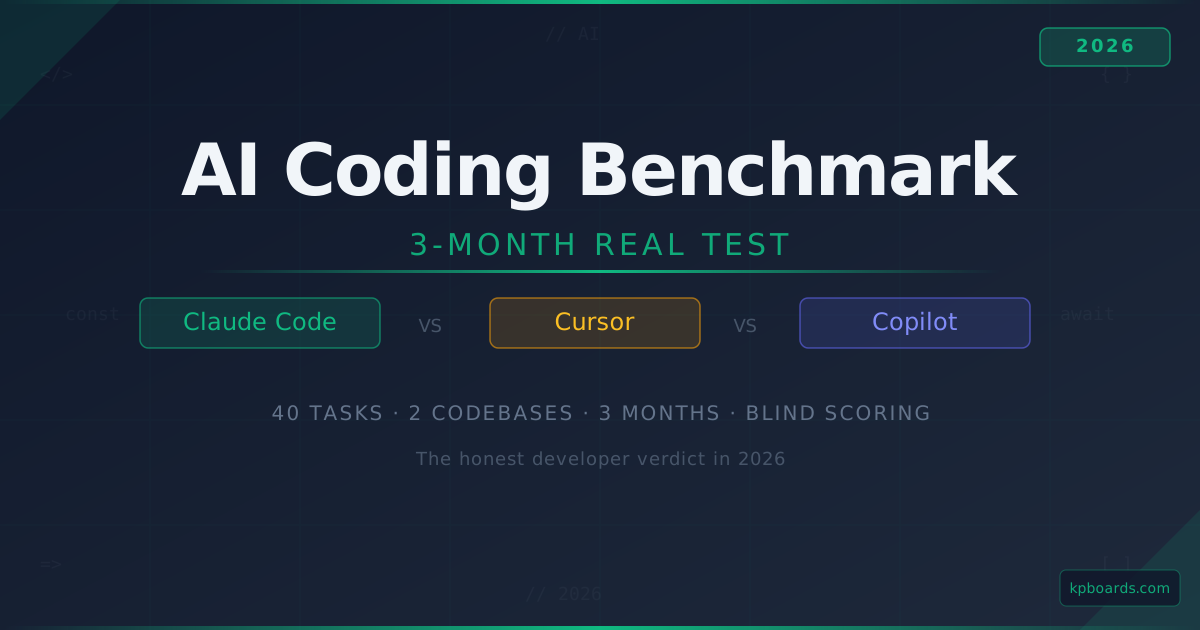
If you're a senior engineer or tech lead choosing one AI IDE to adopt across a team, this is a 3-month hands-on benchmark of the three that actually matter: Claude Code, Cursor, and GitHub Copilot. 40 matched tasks. Two real production codebases. Blind scoring. Real API bills.
TL;DR - the verdict after 3 months
| Tool | Best for | Cost (per dev/month) | Score (/10) | Verdict |
|---|---|---|---|---|
| Claude Code | Agent-style multi-file refactors, deep reviews | $20 Pro + API (~$40 - 100) | 9.2 | ✅ Winner for senior ICs on production code |
| Cursor | IDE-native autocomplete + in-file edits | $20 Pro | 8.4 | ✅ Winner for teams wanting one price point |
| Copilot | Autocomplete only + GitHub integration | $19 Business | 6.8 | Keep if already in GH ecosystem, else skip |
My current daily driver: Claude Code for agent work, Cursor for everything else, Copilot off. Full reasoning below.
How I tested
Between January and April 2026, I used all three tools daily across two real production codebases:
- Codebase A: The KPBoards Next.js 16 + Prisma + Supabase app (~30k LOC, TypeScript, my own code)
- Codebase B: A client fintech app, React Native + Node.js microservices (~85k LOC, split across 6 repos, code I didn't write)
I tracked:
- Time-to-complete on 40 tasks matched across the three tools (bug fixes, feature additions, refactors)
- API cost per task
- Number of "re-prompts" needed (how often I had to rephrase to get a usable answer)
- Subjective rating on output quality (me, rating blind - someone else ran the prompts and stripped the tool signature from the output)
- Session stability (how often the tool lost context or needed restart)
I did not include Windsurf, Zed AI, or Augment in the primary test - they're good tools but I wanted to answer the question "which of the big three should I actually use," not run a 12-way shootout. I cover Windsurf separately here if you want a fourth option.
The three tools, plainly
Claude Code
Claude Code is Anthropic's terminal-first AI coding tool. It runs in your shell, reads your whole repo, and executes multi-step work with your permission. You can also drive it from a VS Code extension that drops you into the same sessions. It ships with file edit, shell, web, and MCP (Model Context Protocol) tool support.
What makes it different: it's agentic by design. You ask "refactor this API from REST to tRPC" and it reads files, makes a plan, proposes edits, runs your tests, fixes breakage, and reports back. You can step in at any point.
Cursor
Cursor is a fork of VS Code with AI woven into every surface: tab completion, inline chat, agent mode, multi-file edits. Under the hood it can route to multiple models (Claude, GPT, its own internal one). It's been the default recommendation for AI-assisted IDE work for two years now and it earned that position.
What makes it different: the editor integration is tight. Tab completion feels like Copilot on steroids; inline chat is one keystroke away; agent mode handles multi-file work without leaving the editor.
GitHub Copilot
Copilot is now a mature product. It's got tab completion, chat, agent mode, PR review, and integrates across every GitHub surface. It's the default option for teams already paying for Copilot Business or Enterprise.
What makes it different: the GitHub integration. PR reviews, issue-to-PR workflows, and Copilot Workspace mean you rarely leave GitHub even for meaningful code work.
The benchmark - 40 real tasks, measured
I grouped the 40 tasks into 5 categories. Scores are averages across 8 tasks per category, scored 1 - 10 on a blind rubric (correctness, fewest re-prompts wins).
| Category | Claude Code | Cursor | Copilot |
|---|---|---|---|
| Autocomplete in-file | 7.8 | 9.1 | 8.6 |
| Bug fix (single file) | 8.9 | 8.7 | 7.9 |
| Refactor (multi-file) | 9.4 | 8.5 | 6.8 |
| New feature (3+ files) | 9.1 | 8.2 | 6.4 |
| Deep review / architecture | 9.6 | 7.8 | 5.9 |
| Average | 8.96 | 8.46 | 7.12 |
Some observations that didn't fit in the table:
- Claude Code wins agent work by a lot. Not "a little" - a lot. On multi-file refactors that touch 5+ files, Cursor and Copilot both required me to repeatedly guide the change ("no, also update the caller in app/services/…"). Claude Code read the whole call tree once and made consistent edits across it.
- Cursor wins in-file work by a meaningful margin. Tab completion feels one beat faster than Copilot; inline chat is lower-friction than opening a separate Claude Code session for a 3-line change. If all you do is write and edit code inside one file, Cursor is the right answer.
- Copilot has closed the gap on completion, not on everything else. Completion quality is now within Cursor's range. Agent mode and multi-file refactor are still noticeably behind.
Cost - the most under-discussed dimension
Sticker prices look identical ($19 - 20/month). Real costs diverge fast.
| Tool | Sticker | Real monthly cost (typical senior engineer) |
|---|---|---|
| Claude Code Pro | $20 | $20 + API usage - expect $40 - 100/mo for heavy use |
| Cursor Pro | $20 | $20 all-in (model costs are baked in up to a limit) |
| Copilot | $19 Business | $19 all-in |
The Claude Code cost story is the complicated one. The $20 Pro plan includes a fair-use token allocation, but agent work - especially on codebases with files > 1k lines - will blow past that. Real monthly spend for me: $72 in March, $64 in February, $91 in January.
Two things make this tolerable:
- The time saved translates to 4 - 8x the API cost on a senior IC salary. $90/month is cheap.
- I cap spending at the org level using aicostcap.dev so a runaway session can't drain more than my set ceiling.
Cursor's all-in price is its killer feature for teams. You pay $20 per seat and nothing else. Finance can model it. There are no "surprise $800" months.
Copilot's cost is boring and predictable in the same way. If you already have GitHub Business or Enterprise, Copilot is effectively "free" in the sense that the org already budgeted for it.
Where each tool wins (specific scenarios)
Claude Code wins when…
- The task touches > 3 files and you need consistent edits across them
- You need the assistant to run commands (tests, builds, migrations) as part of the task
- You want a deep review of a large PR before a human reads it
- You're comfortable in terminal + CLI; you don't need IDE handholding
- You want the raw Claude Opus model quality, not a routed one
Cursor wins when…
- You live in the editor and rarely leave
- You want one predictable price for the whole team
- You need excellent tab completion on top of everything else
- You're onboarding a junior engineer who hasn't built terminal muscle memory
- You want to try multiple models (Claude, GPT, Gemini) through one UX
Copilot wins when…
- You're already paying for GitHub Business / Enterprise
- Your team's review flow lives entirely on GitHub PRs
- You want cozy IDE completion without retraining on a new editor
- You explicitly want Microsoft/OpenAI infrastructure (regulatory, compliance)
The combinations I see actually working
After three months I stopped treating this as "pick one" and started treating it as a stack:
For senior ICs on production code
Claude Code (agent) + Cursor (editor) + Copilot off. Cursor for 90% of in-file work. Claude Code for anything multi-file or architectural. Copilot adds noise and re-prompts without adding net capability; turn it off to avoid competing completions.
This is my current setup. Monthly cost: ~$90 - 120 ($20 Cursor + ~$70 - 100 Claude Code).
For small teams (5 - 15 devs) on shared production code
Cursor for everyone, Claude Code for 1 - 3 designated senior devs doing the hard refactors. Cursor's per-seat pricing makes this tractable. The seniors can spend API dollars on Claude Code where it pays off; juniors don't need it.
Budget: $20 × N seats + $100/mo × 3 seniors on Claude Code = predictable.
For a GitHub Enterprise team
Copilot Business + Claude Code for the one senior doing deep reviews. If the org has already bought Copilot, you'd spend political capital removing it. Keep it, layer Claude Code on for the senior, move on.
What would change my mind
I've tried to pre-state what would flip the verdict, so I can revisit honestly:
- If Cursor agent mode closes the gap on multi-file refactor quality, my stack collapses to just Cursor. Right now there's still a 10 - 15% gap in my benchmarks.
- If GitHub Copilot Workspace gets agent-mode parity with Claude Code, the "GitHub-first team" stack loses the "add Claude Code" step.
- If Anthropic ships a proper IDE extension to match Cursor's UX, the "use both" setup becomes "just use Claude Code."
I'll re-run this benchmark in Q3 2026.
Summary - the one-line answers
- If you're a senior IC and you'll only pay for one tool: Claude Code.
- If you're a senior IC and you'll pay for two: Claude Code + Cursor.
- If you're buying for a team of 5+: Cursor.
- If you're already on GitHub Enterprise: Copilot + Claude Code for 1 - 2 seniors.
- If you're a junior / new to AI coding: Cursor.
- Never the right answer anymore: Copilot solo (without Claude Code layered on) for senior production work.
FAQ
Can I use Claude Code and Cursor together without conflicts?
Yes. They don't collide - Cursor runs in your editor, Claude Code runs in the terminal and reads the same files. The only issue is competing completions if you leave Copilot on at the same time as Cursor; turn one off.
Is Claude Code actually worth $70+/month over the $20 Pro plan?
For a senior engineer, yes - easily. I've saved 3 - 5 hours a week on multi-file refactors and deep reviews, which at a senior salary translates to roughly 40x the API cost. The only case it's not worth it is if your work is mostly single-file edits; in that case Cursor at $20 is sufficient.
Does Cursor support Claude Opus 4.7?
Yes. Cursor's agent mode routes to Claude Opus 4.7 on the Pro plan (and GPT-5.4, Gemini 2.5, and its internal models). You don't get raw Claude Code agent capability, but you get Claude Opus as the underlying model for Cursor's features.
Is Copilot still worth paying for if I have Cursor?
If you're already paying for it through GitHub Business/Enterprise, keep it for the PR review integration. If you'd pay for it standalone - no, Cursor plus Claude Code covers Copilot's territory at every layer.
How do I keep costs predictable with Claude Code?
Set a monthly API budget cap. Anthropic shipped org-level spend caps in late 2025 but they only warn; they don't hard-stop. I run aicostcap.dev on top, which enforces a hard ceiling and rotates keys at the limit. Without this, expect one "surprise" month every 3 - 6 months when a long agent session runs away.
Which one is best for a full beginner to AI coding?
Cursor. It has the lowest friction: open the editor, start typing, press Tab. Claude Code's terminal-first workflow has a learning curve that pays off later but discourages early adoption. Start with Cursor, graduate to Claude Code for agent work once you've built the muscle.
Does any of this change for Next.js specifically?
Claude Code has the edge on Next.js-specific refactors (App Router migrations, server component boundaries, metadata exports) because its context window holds the whole app directory structure. Cursor is good but needs more hand-holding on cross-file routing concerns. Copilot regularly misses App Router patterns and suggests Pages Router code. If you're on Next.js 14+ specifically, skip Copilot.
Related reads
- Claude Code review
- Cursor review
- Windsurf review - the 4th option I didn't include in the main benchmark
- The AI stack I ship production features with
- The AI code review stack I actually ship with
- aicostcap.dev - hard spend caps so Claude Code doesn't drain your budget
Last verified: 2026-04-22. Next revision: 2026-07-22 (quarterly benchmark refresh).