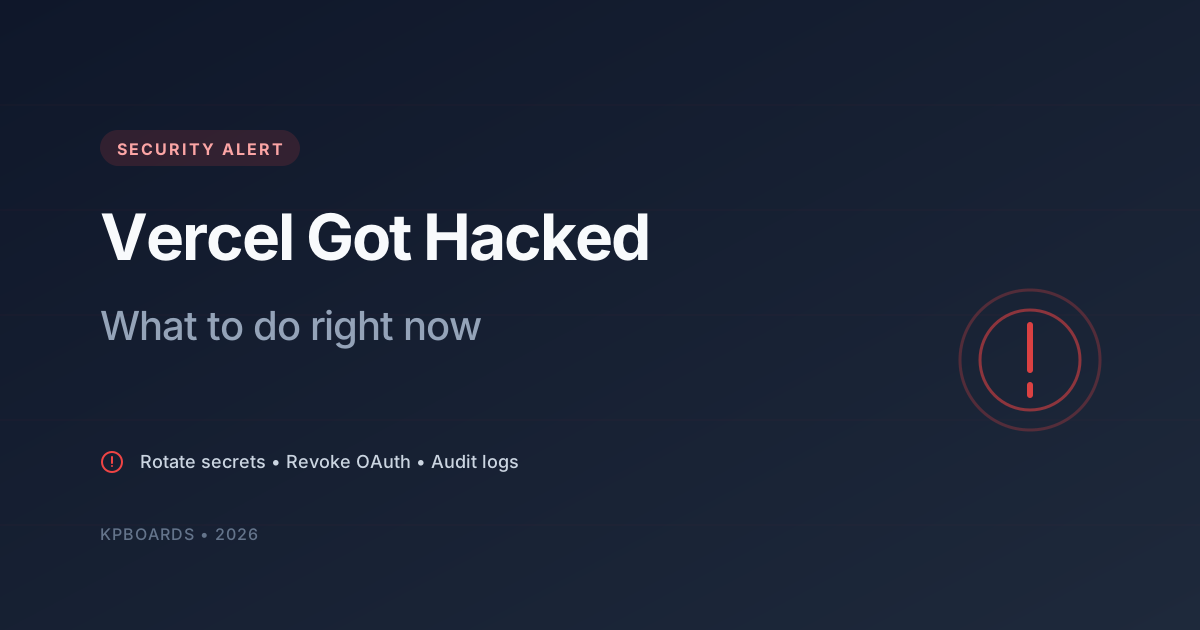
On April 19, 2026, Vercel confirmed a security incident affecting a subset of its customers. The breach did not originate from Vercel itself but from a third-party AI tool whose Google Workspace OAuth app was compromised - attackers leveraged that access to pivot into Vercel customer data.
The ShinyHunters group claimed responsibility and demanded ransom. Data potentially exposed includes API keys, source code, database contents, NPM tokens, and GitHub tokens. This is a classic supply chain attack - you did nothing wrong, yet you can still become a victim simply because you share a tool with someone who did.
If you run any project on Vercel, read this post in full and execute every step within the next 24 hours.
Why supply chain attacks are more dangerous than you think
In traditional breaches, attackers must bypass firewalls, brute-force passwords, or phish a user directly. In supply chain attacks, they only need to compromise one link in the software supply chain - an OAuth app, an NPM package, a plugin - to reach hundreds of organizations at once.
What makes them scary:
- You won't get a direct alert because your account was never compromised
- Time from compromise to detection is typically weeks to months
- Stolen secrets can be used immediately or sold on the dark web and exploited months later
So even if you haven't seen any suspicious activity, assume your secrets are leaked and act accordingly.
Step 1: Rotate every sensitive secret
This is the most important step and it comes first. List every environment variable you have on Vercel and classify them by risk:
- Critical: database credentials, service-role keys, any token with write/delete access on production systems
- High: API keys for payment processors, email services, SMS providers, authentication providers
- Medium: analytics, monitoring, read-only service keys
- Low: public variables (usually prefixed with
NEXT_PUBLIC_or similar) - rotate if possible
Rule of thumb: rotate first, ask questions later. Thirty minutes of downtime to swap in fresh keys is far better than three months of an attacker reading your database.
Step 2: Reset database credentials
If you use a managed database (Supabase, Neon, PlanetScale, Railway…), open the dashboard and reset the database password. This is available on every plan, including free tiers.
After resetting:
- Update the new connection string in your deploy platform's environment variables
- Update
.env.localon your dev machine - Redeploy the project to pick up the new credentials
- Verify the application still connects to the database
If your database supports rotating the JWT secret or equivalent, do that too - it will invalidate every active token.
Step 3: Revoke OAuth integrations
This is the easiest step to forget but one of the most important. Services like GitHub, GitLab, and Bitbucket all have a concept of Authorized OAuth Apps - apps you've previously granted access to your account.
Go to Settings → Applications → Authorized OAuth Apps in each of the following and revoke any suspicious integration:
- GitHub / GitLab / Bitbucket - especially any deploy integrations
- Google Workspace - review third-party AI tools, Zapier, Make, n8n
- Slack - bots and integrations
- NPM / pypi / RubyGems - revoke automation tokens, create new ones with minimum scope
Once revoked, reconnect from the official deploy platform dashboard to generate a fresh token.
Step 4: Mark env vars as "Sensitive"
Many modern deploy platforms encrypt secrets specially - usually called "Sensitive" or "Encrypted" environment variables. Unlike regular variables (stored in plain text in internal storage), sensitive variables are encrypted and only decrypted at runtime.
According to Vercel's statement, variables marked as "Sensitive" in this breach appeared to remain protected. The lesson is clear: from today onward, whenever you add a new environment variable, always enable the Sensitive option if it is a secret.
For existing variables that are not flagged Sensitive, enable it after you have rotated them.
Step 5: Audit logs for signs of compromise
After rotation, it is time to check what the attacker actually did during the window your secrets were exposed. Places to look:
Deploy platform (Vercel, Netlify, etc.)
- Audit Log: anyone adding or editing unfamiliar env vars? Any new team members?
- Deployment History: any deployment you did not trigger?
- Runtime logs: unusual auth errors, admin endpoint requests from strange IPs
Database
- Tables like
users,profiles,admin: any recently created records you do not recognize? - Role permissions: any role elevated to admin?
- Database logs or
pg_stat_activity: queries from unfamiliar IPs?
Email service
- Recent send logs: any email your app did not trigger?
- Domain verification: any suspicious domains added?
GitHub / repository
- Security → Recent activity: OAuth grants, new SSH keys, new PATs
- Recent commits across branches: anything you do not remember pushing?
- Actions → Workflow runs: any new or triggered workflows?
Step 6: Set up defenses for the future
This incident is a great opportunity to review your overall security posture. Things worth doing even without an incident:
- Enable 2FA on every service - deploy platform, GitHub, database, email service, domain registrar
- Principle of least privilege: every token gets only the minimum permissions it needs. Avoid creating tokens with full access unless absolutely required
- Token expiration: set expiry on every API token. A token that lives forever is a disaster waiting to happen
- Secret scanning: enable GitHub secret scanning on repos, configure pre-commit hooks to block accidental secret commits
- Rotation schedule: rotate secrets every 6 months even without an incident
- Third-party app audits: every quarter, review the list of OAuth apps you have granted and revoke anything unused
Frequently asked questions
How do I know if I am affected?
Vercel only notifies accounts it has confirmed were affected. But even without a notification, rotating secrets is still standard hygiene and the cost is trivial compared to a breach.
I only run side projects - do I really need all these steps?
Yes. Side projects often share an email and may reuse API keys with your main projects. One leaked token is all an attacker needs to pivot laterally into other systems.
I do not have a maintenance window - how do I rotate without downtime?
Databases: most managed services allow password changes without a restart, so active sessions keep going. Third-party API keys: most allow multiple active keys simultaneously, so you can create new key → deploy → revoke old key for a zero-downtime rotation.
Will Vercel compensate for damages?
That depends on your terms of service and plan. But realistically, even with compensation, the damage to trust and data is hard to undo. Prevention beats cure.
Wrapping up
Supply chain attacks are not going anywhere - this will be the dominant threat model for years to come as services integrate ever more tightly. As a solo developer or small team, you cannot stop every attack, but you can minimize the blast radius by:
- Never letting a secret live too long
- Never granting broader scope than needed
- Auditing OAuth grants regularly
- Always encrypting sensitive env vars
Treat this event as a fire drill: practice your incident response, update internal documentation, share lessons with your team. Next time something similar happens, you will move faster and calmer.