When I migrated this website from Pages Router to App Router, I thought SEO would be straightforward - just swap <Head> for export const metadata and done. Turns out, that's far from the truth.
After three weeks of debugging, reading docs, and staring at Google Search Console, I realized App Router has very specific SEO pitfalls that aren't well-documented. That's why I created the nextjs-seo-masterclass repo - a battle-tested template that consolidates everything I learned.
Why App Router SEO Is More Complex Than You Think
Pages Router is predictable: every page is SSR by default, getServerSideProps or getStaticProps determines rendering. SEO is easy to reason about.
App Router is different:
- Server Components render on the server, Client Components render on both server and client
- Dynamic routes can render dynamically (no pre-built HTML) if
generateStaticParamsis missing - Data fetching inside
generateMetadatacan't call internal APIs (server isn't running during build) - Client Components hydrate after HTML is served - using
useEffectto fetch means Google sees empty content
The result: your page works fine for users, but Googlebot crawls and sees... nearly nothing.
5 Most Common SEO Mistakes with App Router
1. Self-Referencing Fetch in generateMetadata
This is the most common mistake I see in other people's code:
// ❌ WRONG - server isn't running during build, this silently fails
export async function generateMetadata({ params }) {
  const res = await fetch(`http://localhost:3000/api/articles/${params.slug}`);
  const article = await res.json();
  return { title: article.title };
}

// ✅ CORRECT - call the service/DB directly
export async function generateMetadata({ params }) {
  const article = await getArticleBySlug(params.slug);
  return { title: article.title };
}
2. Missing generateStaticParams on Dynamic Routes
If app/blog/[slug]/page.tsx doesn't export generateStaticParams, Next.js renders the page dynamically. Google can still crawl it, but:
- No pre-built HTML → slower response time
- Build output shows
ƒ(Dynamic) instead of●(SSG) - ISR doesn't work correctly
// ✅ Always export generateStaticParams + dynamicParams
export async function generateStaticParams() {
  const articles = await getAllArticleSlugs();
  return articles.map((a) => ({ slug: a.slug }));
}

export const dynamicParams = true; // ISR for new slugs
3. Client Component Fetching in useEffect - Google Sees Nothing
If a page uses 'use client' and fetches data in useEffect, the initial HTML render will be a loading state. Googlebot (and most social scrapers) only read static HTML - they see a spinner, not the content.
Fix: Server Component fetches data, passes it down to Client Component via initialData:
// app/(public)/blog/[slug]/page.tsx - Server Component
const article = await getArticleBySlug(params.slug);
return <ArticleDetailScreen initialArticle={article} />;

// src/screens/blog/article-detail.tsx - Client Component
const { data } = useQuery({
  queryKey: ['article', slug],
  queryFn: fetchArticle,
  initialData: initialArticle, // ← use server data immediately
});
4. Missing JSON-LD Structured Data
Metadata exports handle title/description/OG tags, but Google needs JSON-LD to understand the type of content:
- Blog post → needs
Articleschema - Product page → needs
Product - About page → needs
PersonorOrganization
No JSON-LD = missing out on rich snippets and lower scores in Google's quality guidelines.
5. Wrong OG Image Dimensions
Open Graph images must be exactly 1200×630px. Many developers get the dimensions wrong → Facebook, Zalo truncate or distort the image when sharing links.
What the nextjs-seo-masterclass Repo Solves
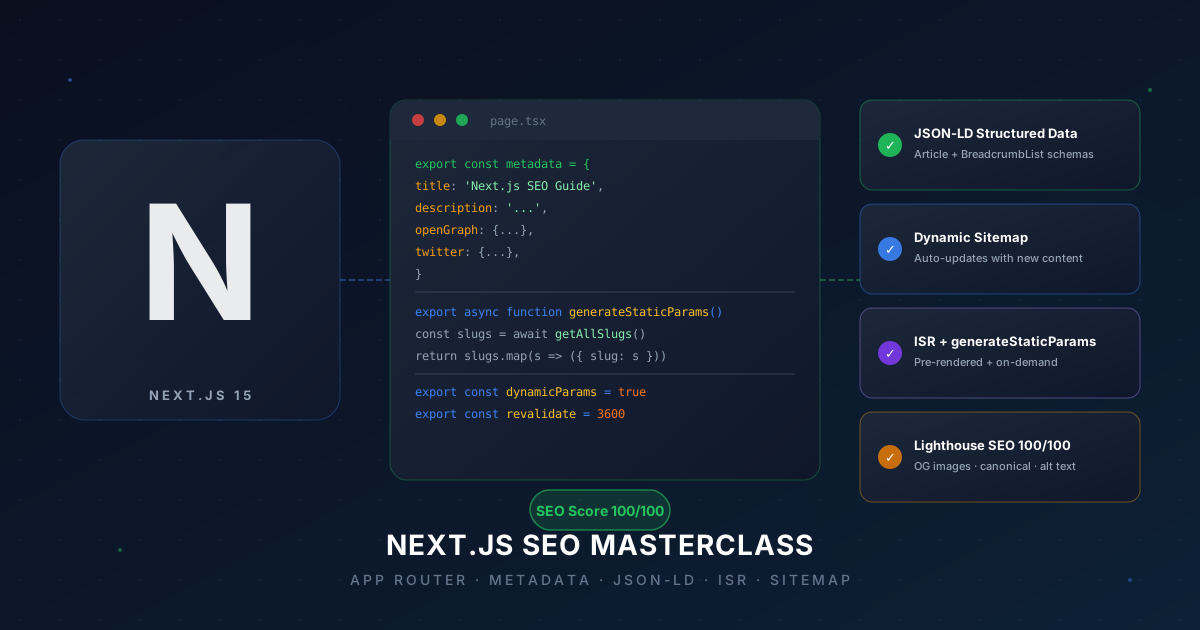
This repo is a Next.js 15 template with everything set up correctly from the start. Instead of reading docs and assembling pieces yourself, clone it and get a working foundation immediately.
What's Included
1. Complete Metadata API
Root layout with metadata base, each page exports its own metadata. A reusable createMetadata() helper automatically merges with base metadata. OG tags, Twitter Cards, canonical URL - fully covered.
2. Type-Safe JSON-LD Components
A <JsonLd> component supporting Article, WebPage, Person, BreadcrumbList. No more writing JSON-LD by hand:
<JsonLd
  type="Article"
  data={{
    headline: article.title,
    author: { name: article.author },
    datePublished: article.publishedAt,
    image: article.coverImage,
  }}
/>
3. Dynamic sitemap.ts + robots.ts
Sitemap auto-updates when new content is added. robots.txt is generated from code, not a static file. Correct Google-standard format - no plugins or third-party libraries needed.
4. ISR Pattern for Blogs
generateStaticParams + dynamicParams = true + revalidate. Old posts are cached, new posts render on-demand. No full site rebuild needed when adding new articles.
5. React cache() for Deduplication
When both generateMetadata and the page component need the same data, React's cache() ensures only one DB call:
const getArticle = cache(getArticleBySlug);

// Both use the same cached result - no extra DB round-trip
export async function generateMetadata({ params }) {
  const article = await getArticle(params.slug);
  return { title: article.title };
}

export default async function Page({ params }) {
  const article = await getArticle(params.slug);
  return <ArticleDetailScreen initialArticle={article} />;
}
Real Results
After applying these patterns to kpboards.com:
- Build output: all blog pages show
●(SSG), noƒDynamic - Google Search Console: pages indexed within 24 - 48 hours instead of weeks
- Rich snippets appear in search results thanks to article schema
- Lighthouse SEO score: 100/100
Getting Started
Clone the repo and start from the existing structure. Every pattern has comments explaining why, not just what. Read it once, apply it to every Next.js project going forward.
GitHub: github.com/pldangkhoi/nextjs-seo-masterclass
If you're building a blog, portfolio, or any content site with Next.js - this is the right starting point. SEO isn't something you add later, it has to be right from day one.