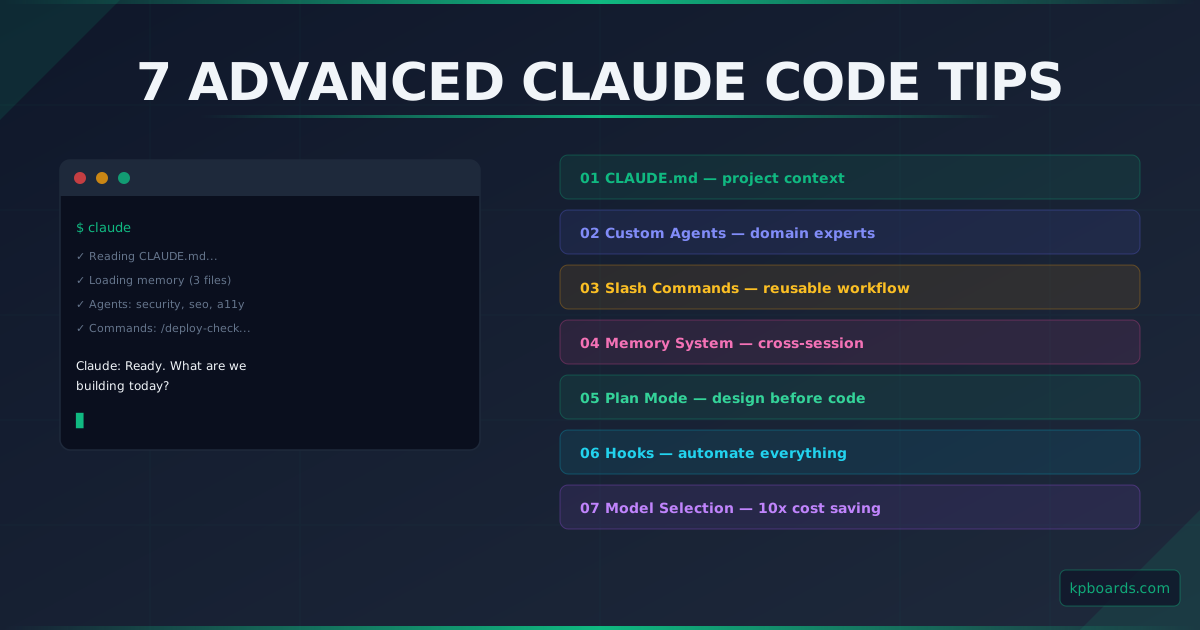
Claude Code is more than just an AI terminal. After using it daily for months, I noticed most developers only tap into 20% of its capabilities. Here are 7 advanced features you should master today.
1. CLAUDE.md - The Project Brain
This is the most important file, yet most developers do not use it properly. CLAUDE.md is a context file Claude reads automatically at the start of every new session - like briefing a new team member before they start working.
What should go in CLAUDE.md:
- Tech stack and conventions: Next.js 16 App Router, bun, Tailwind CSS 4, shadcn/ui, no
React.FC - Session start protocol: run
git log --oneline -5first, which files to read - Coding conventions: kebab-case file names,
@/alias, no../../ - Known issues: existing type debt, why
ignoreBuildErrors: true - Model selection rules: Haiku for search, Sonnet for implementation, Opus only for architecture
If Claude keeps asking basic questions about your project, that is a sign your CLAUDE.md is incomplete. A good file reduces token waste by 50% per session.
2. Custom Agents - Domain Specialists
Instead of using Claude Code for everything in one conversation, create specialized agents in .claude/agents/. Each agent has its own system prompt and runs independently with its own context window.
.claude/agents/
├── security-reviewer.md    # audits security issues only
├── seo-reviewer.md         # checks SEO for public pages
├── accessibility-reviewer.md
└── code-reviewer.md        # reviews diffs before commits
When you add a new form, call the accessibility-reviewer - this agent is not polluted by your main conversation context, producing much more focused results.
3. Slash Commands - Reusable Workflows
Slash commands are workflows packaged as Markdown files in .claude/commands/. Instead of memorizing procedures every time, just type /command-name.
/deploy-check      # complete checklist before deploying to production
/new-article       # create a new blog post with correct format
/db-migrate        # run Prisma migrations safely with verification
/pr-review         # review PR: security, perf, a11y checklist
4. Memory System - Persistence Across Sessions
The memory system uses persistent files in ~/.claude/projects/. Four types: user (your background), feedback (what Claude should avoid - most important), project (decisions), reference (external system links).
5. Plan Mode - Design Before You Code
For complex multi-file tasks, enable Plan Mode first. In Plan Mode, Claude can only read files and research - no code editing. After you approve the plan, Claude implements exactly what was agreed upon.
6. Hooks - Automate Everything
Hooks are shell commands that run automatically when Claude performs specific actions. Configure in .claude/settings.json. Use them to auto-format files, run linters, validate schemas, or notify Slack.
7. Smart Model Selection - Cut Costs by 10x
Haiku: search, grep, file reads. Sonnet: implementation, debugging (default). Opus: architecture, complex debugging (most expensive). Default subagents to Haiku - this is the single biggest cost saving.
Where to Start?
- Write
CLAUDE.mdfor your current project - 15 minutes, immediate impact - Create 1-2 slash commands for your most repeated workflows
- Write feedback memory entries after every Claude mistake